Admin panel guide
This page is for the people who use the panel: administrators who manage access, and staff who sign in to it. Every page lives under the route prefix (default /admin). The URLs below use the default prefix.
| Page | URL | Who can open it |
|---|---|---|
| Sign in | /admin/auth/login | Everyone |
| Dashboard | /admin | Any user with a matching rule (super admins always) |
| Users | /admin/auth/users | Super admins, or holders of a permission that covers the URL |
| Roles | /admin/auth/roles | As above |
| Permissions and URL tester | /admin/auth/permissions | As above. Only super admins (or holders of *) may create or change permissions |
| Menu | /admin/auth/menu | As above |
| Routes | /admin/auth/routes | As above |
| Operation log | /admin/auth/logs | As above |
| Your settings | /admin/auth/setting | Every signed-in user |
| Change password | /admin/auth/setting/password | Every signed-in user |
| Access denied | /admin/auth/denied | Shown when a rule does not match |
Sign in
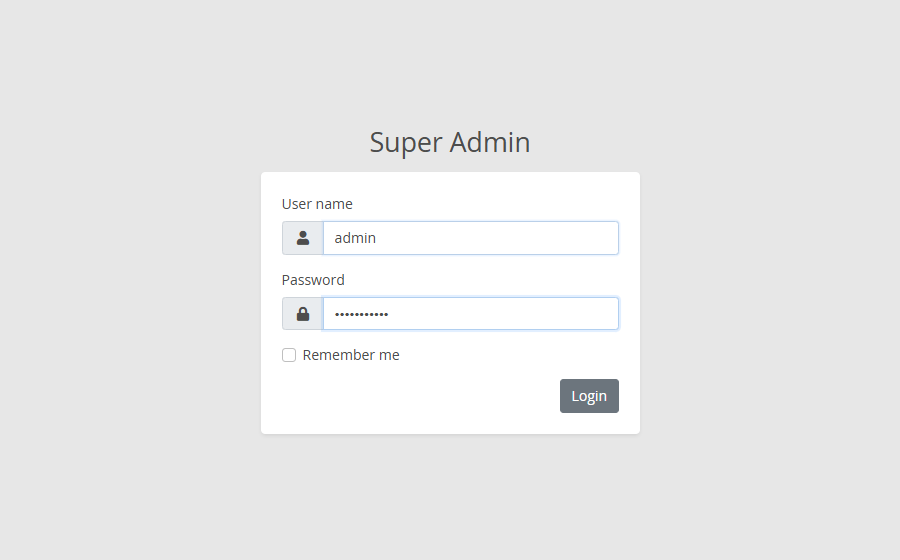
Enter the user name and password. Remember me keeps you signed in on this browser for Auth:RememberMeDays (default 14 days).
- After
Auth:MaxFailedAttempts(default 5) wrong passwords, the account is locked forAuth:LockoutMinutes(default 15). - Each IP address may try
Auth:LoginPermitLimit(default 10) logins perAuth:LoginWindowSeconds(default 60). - An unknown user and a wrong password get the same message.
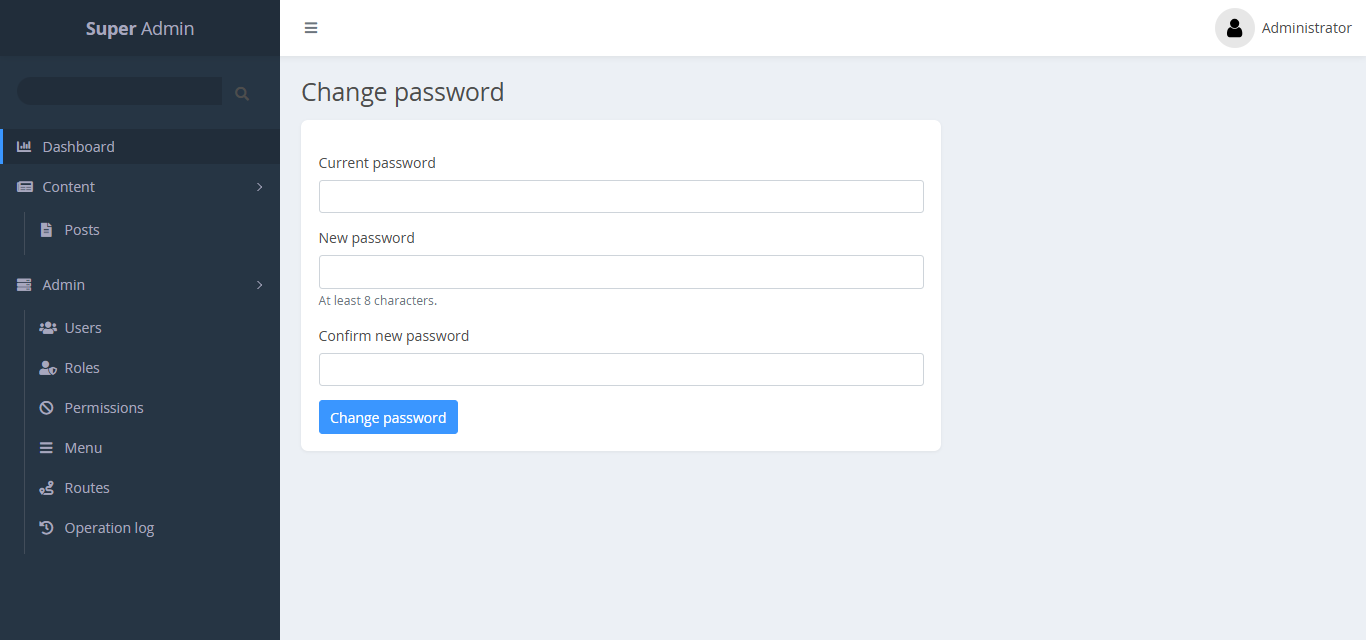
If your account must change its password (for example after the first seed), you are sent to the password page before anything else:
Dashboard
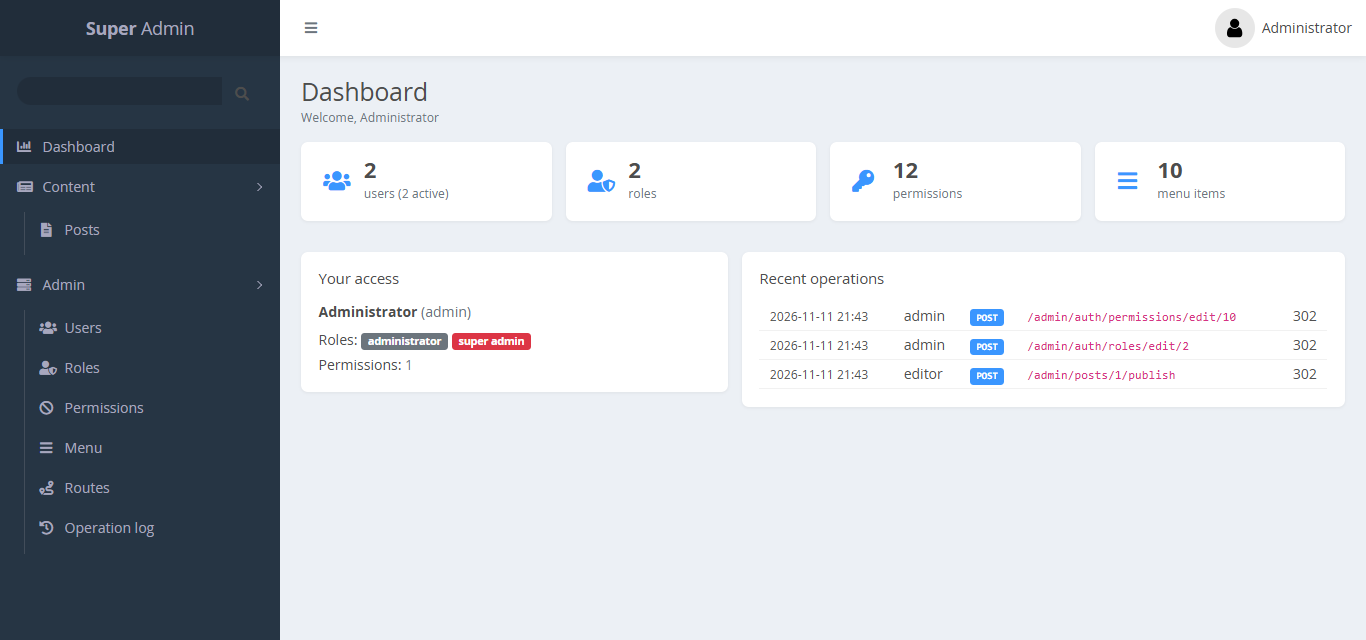
The dashboard shows Your access (your roles and permissions) and Recent operations. The sidebar shows only the pages you may open.
Users
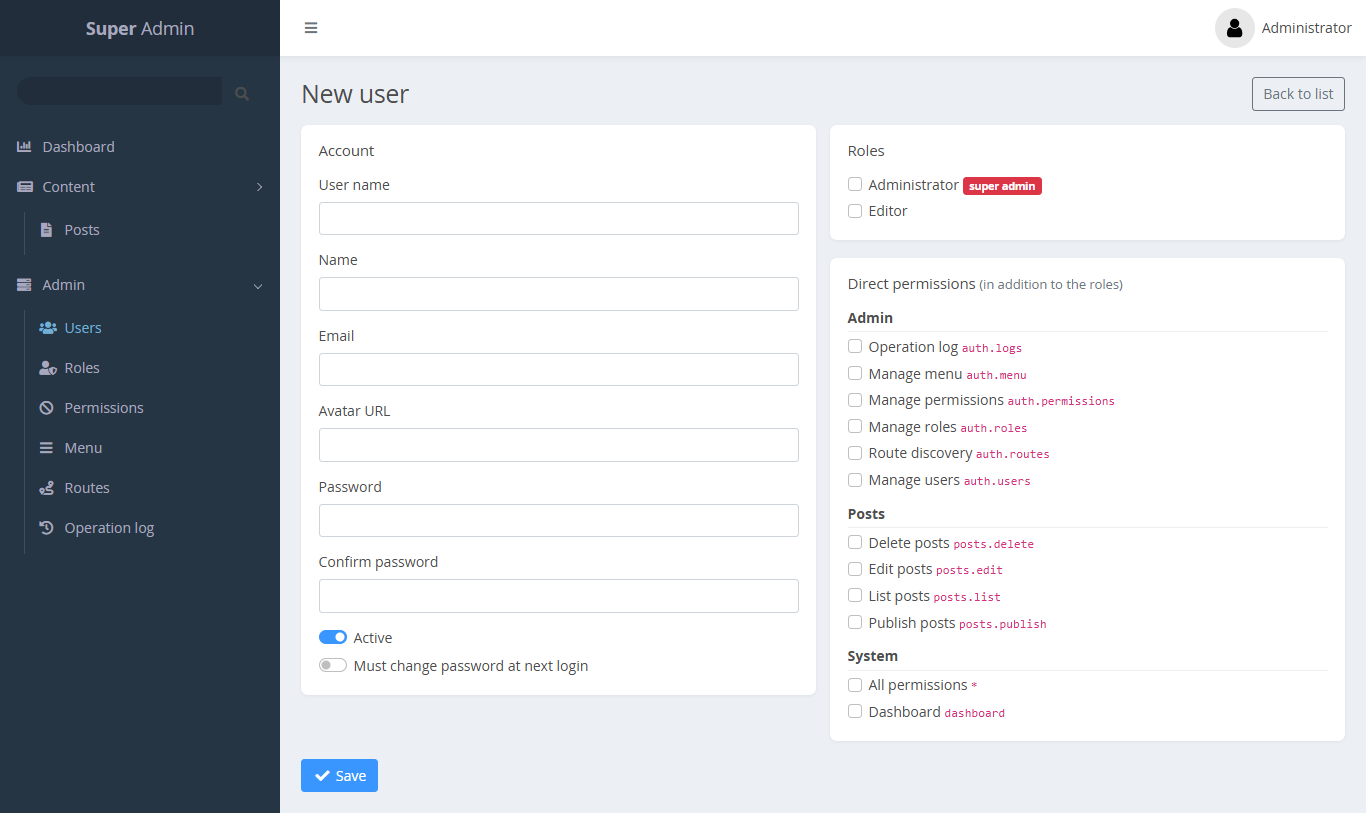
The list shows the user name, name, roles, status and last login. New opens the user form:
- Account: user name, name, email, avatar URL, password and confirmation.
- Active: inactive users cannot sign in, and their open sessions end.
- Must change password at next login.
- Roles and Direct permissions.
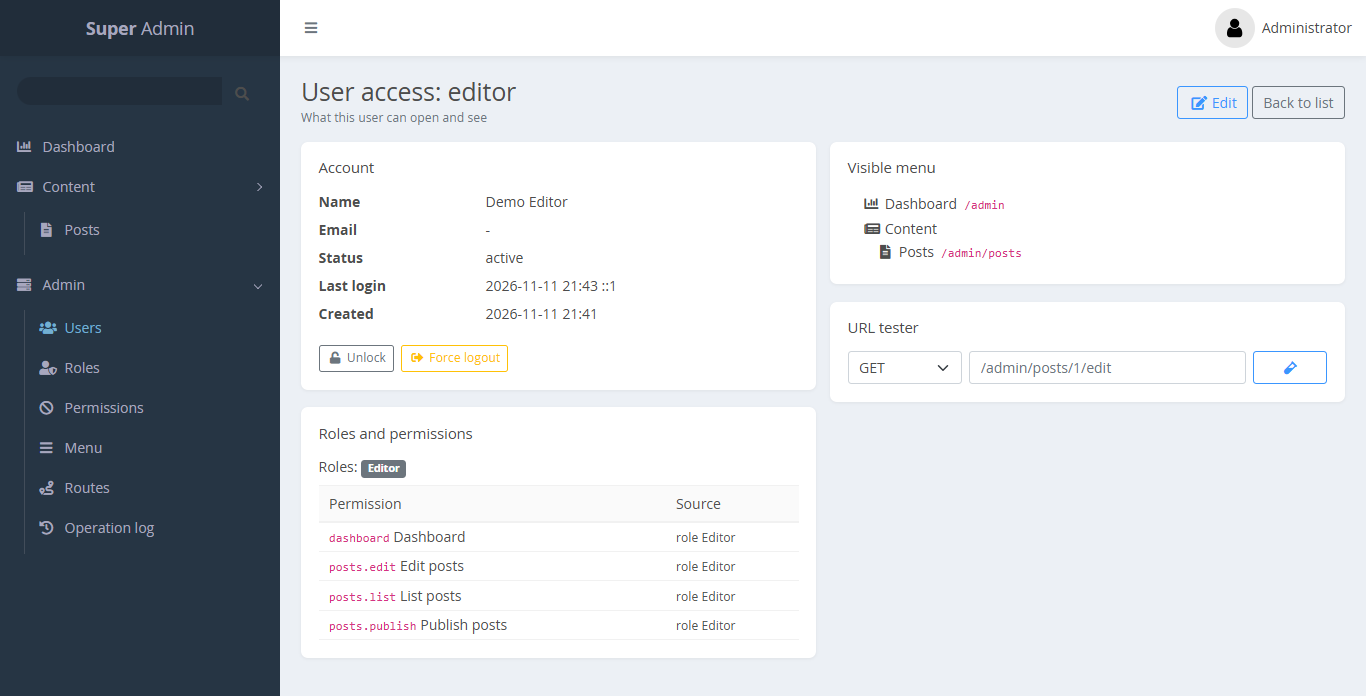
Click a user name to open the user access view. It lists the roles, every effective permission with its source (direct or through which role), and the menu this user sees. From here you can also:
- Unlock a user who was locked out after failed logins.
- Force logout: sign the user out of every session. Open Blazor circuits end at the next revalidation.
Roles
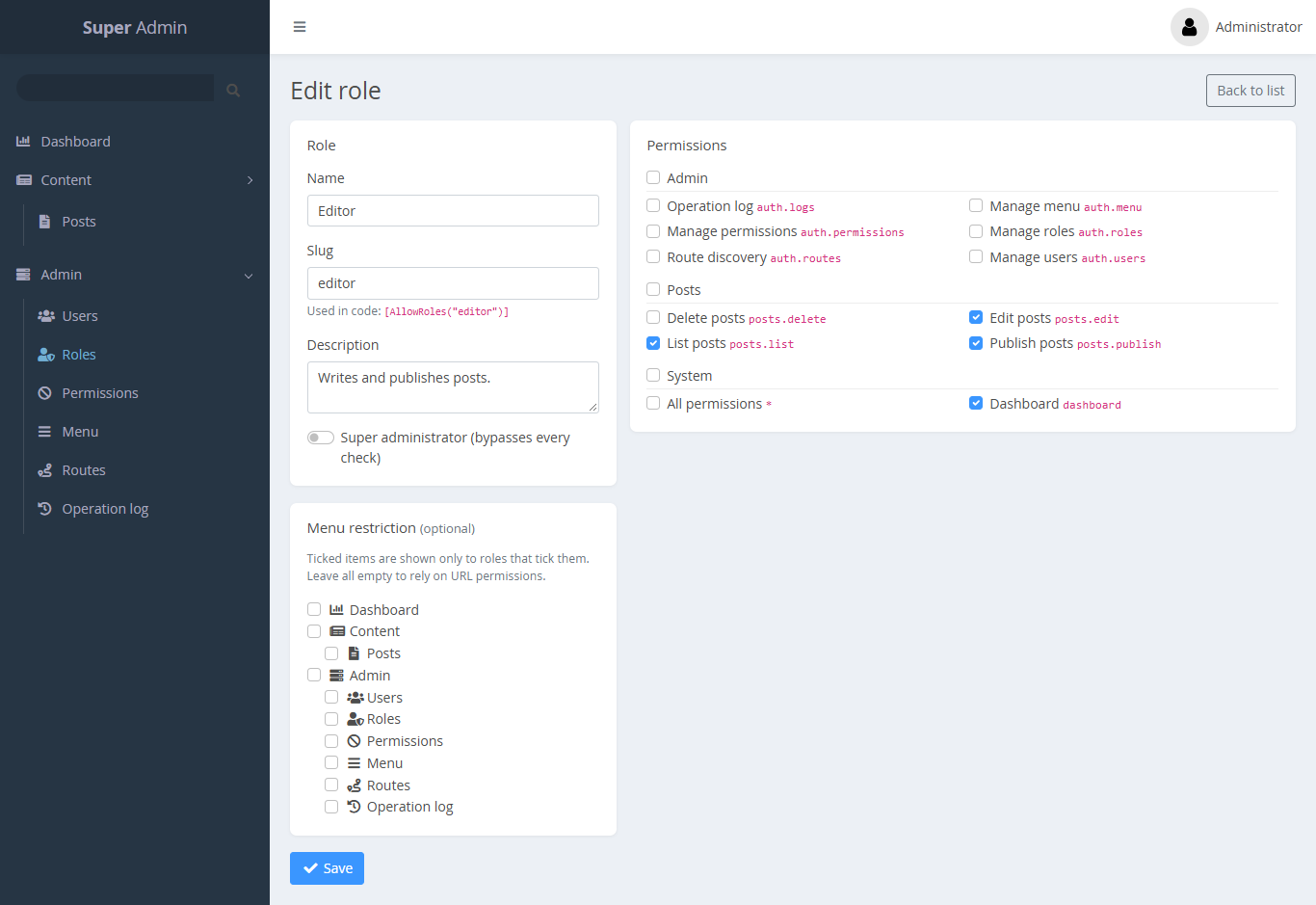
A role has a name, a slug, a description and a set of permissions.
- Super administrator (bypasses every check): members pass every URL rule, attribute and menu check. Only super admins can grant this flag.
- Menu restriction: menu items can be limited to some roles. See Menu.
Permissions
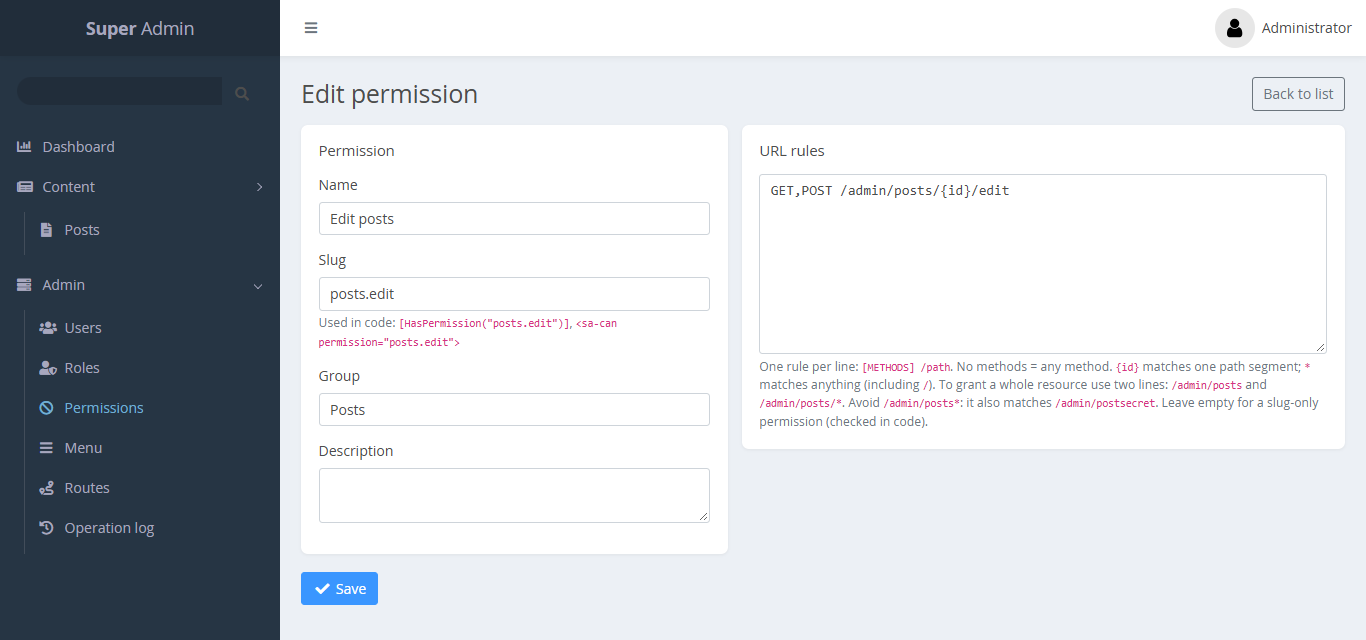
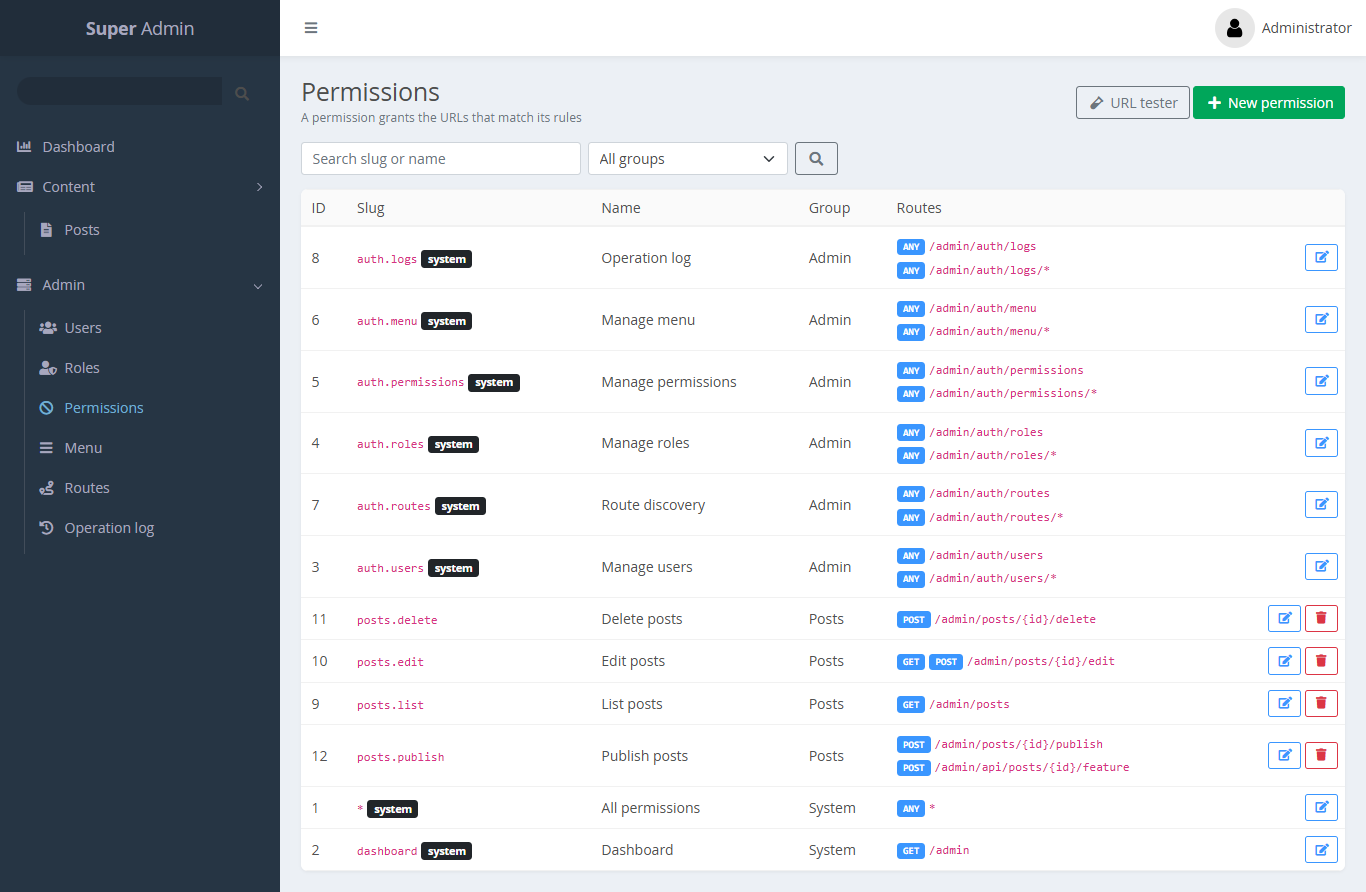
A permission has a name, a slug, an optional group and 0..n URL rules. Write one rule per line: [METHODS] /path. The syntax is on URL pattern syntax.
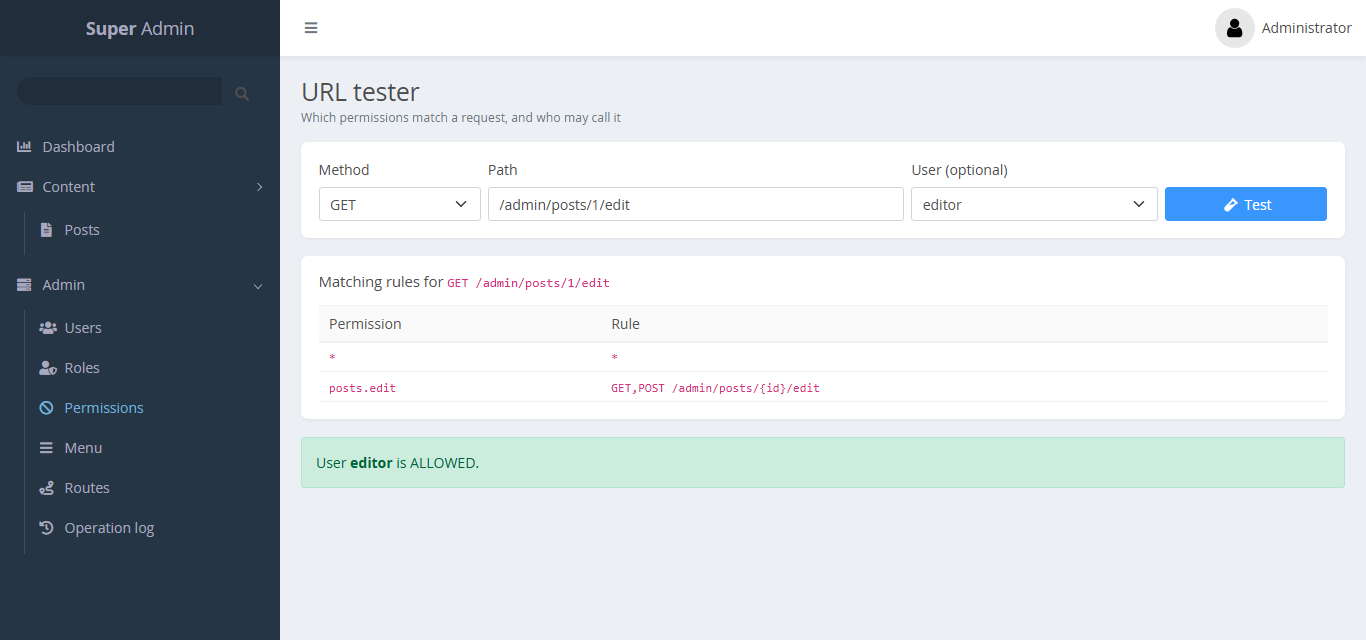
URL tester
Permissions → URL tester takes a method, a path and an optional user. It shows the rules that match, and whether that user is allowed.
Menu
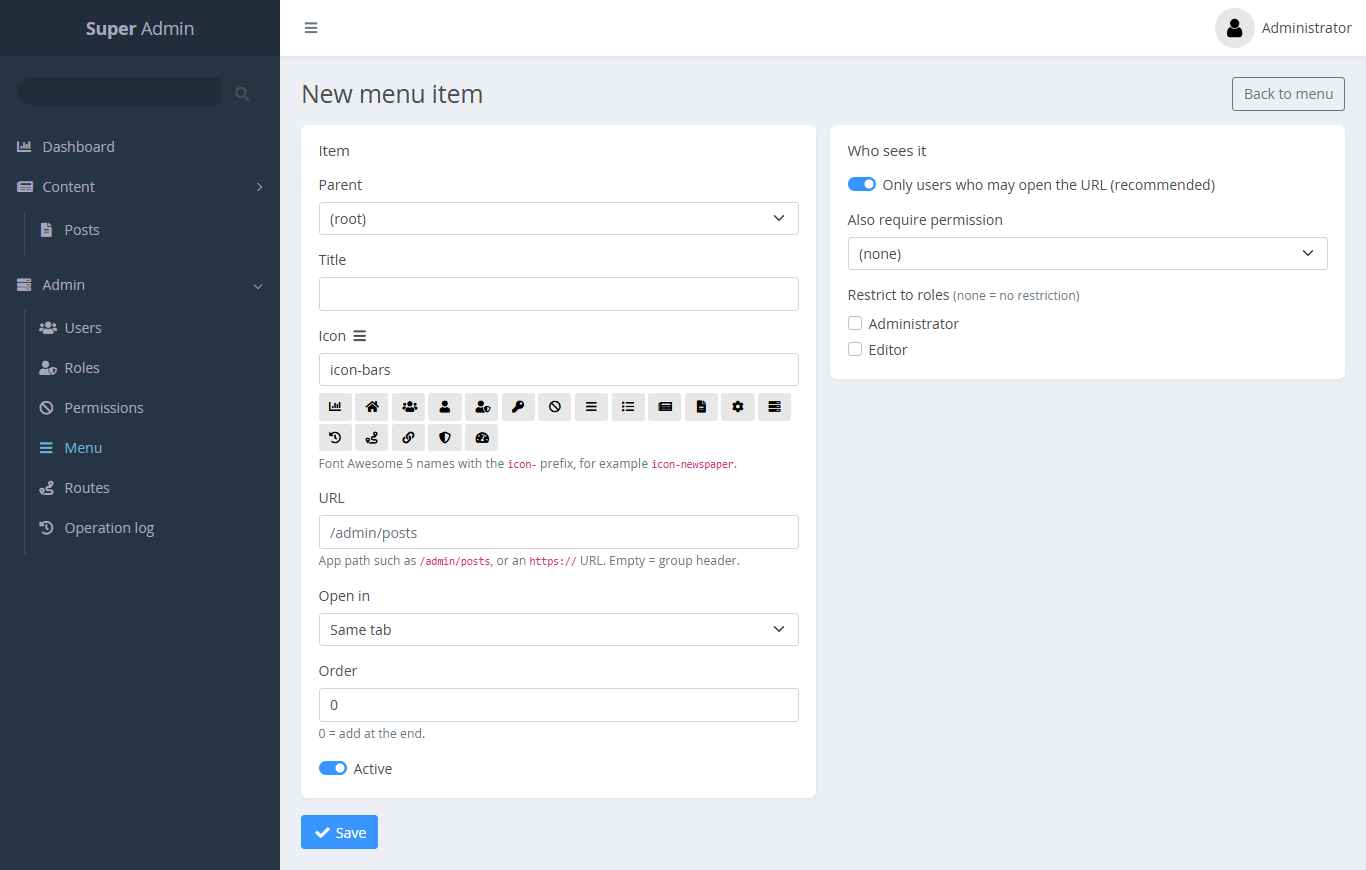
The menu is a tree. Each item has a parent, a title, an icon (icon-* Font Awesome name), a URL, a target (Open in), an order and an Active switch.
Who sees it decides visibility:
- Only users who may open the URL (recommended): the item shows only if the user may GET its URL.
- Also require permission: the user must also hold this permission.
- Restrict to roles: the user must also be in one of these roles.
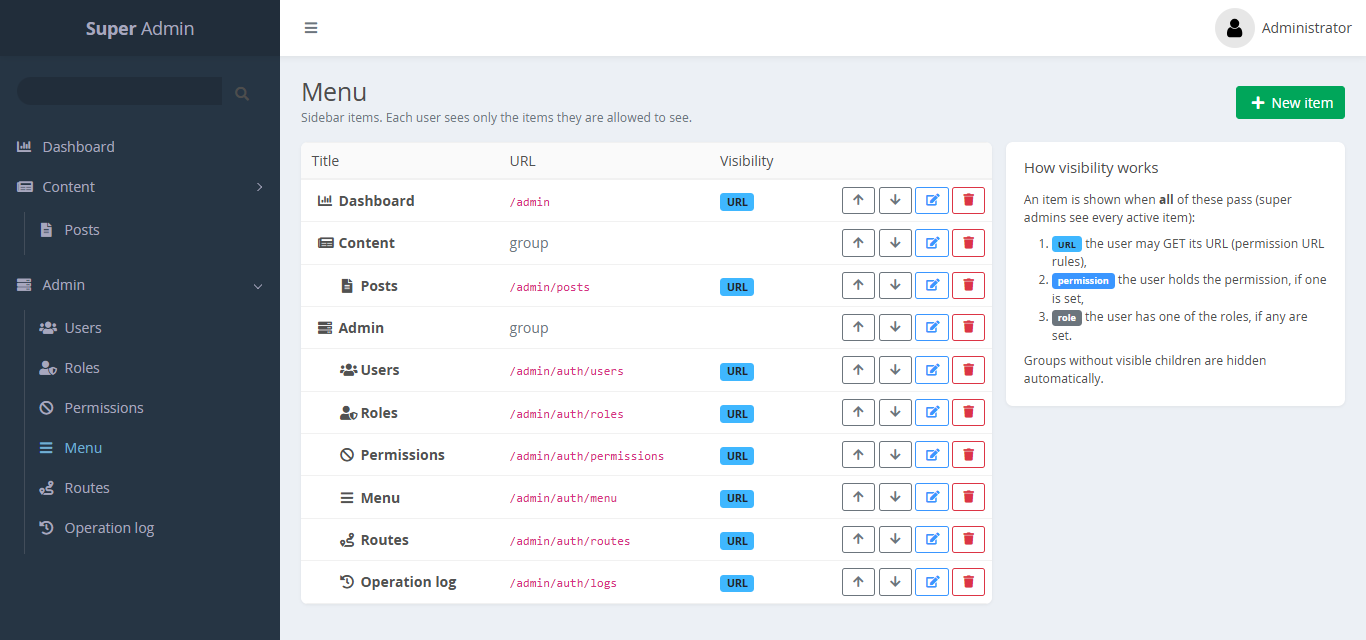
Groups without visible children are hidden. Menu URLs accept only app paths or http(s) URLs.
The Menu page shows the whole tree. Use the arrows to reorder items:
Routes
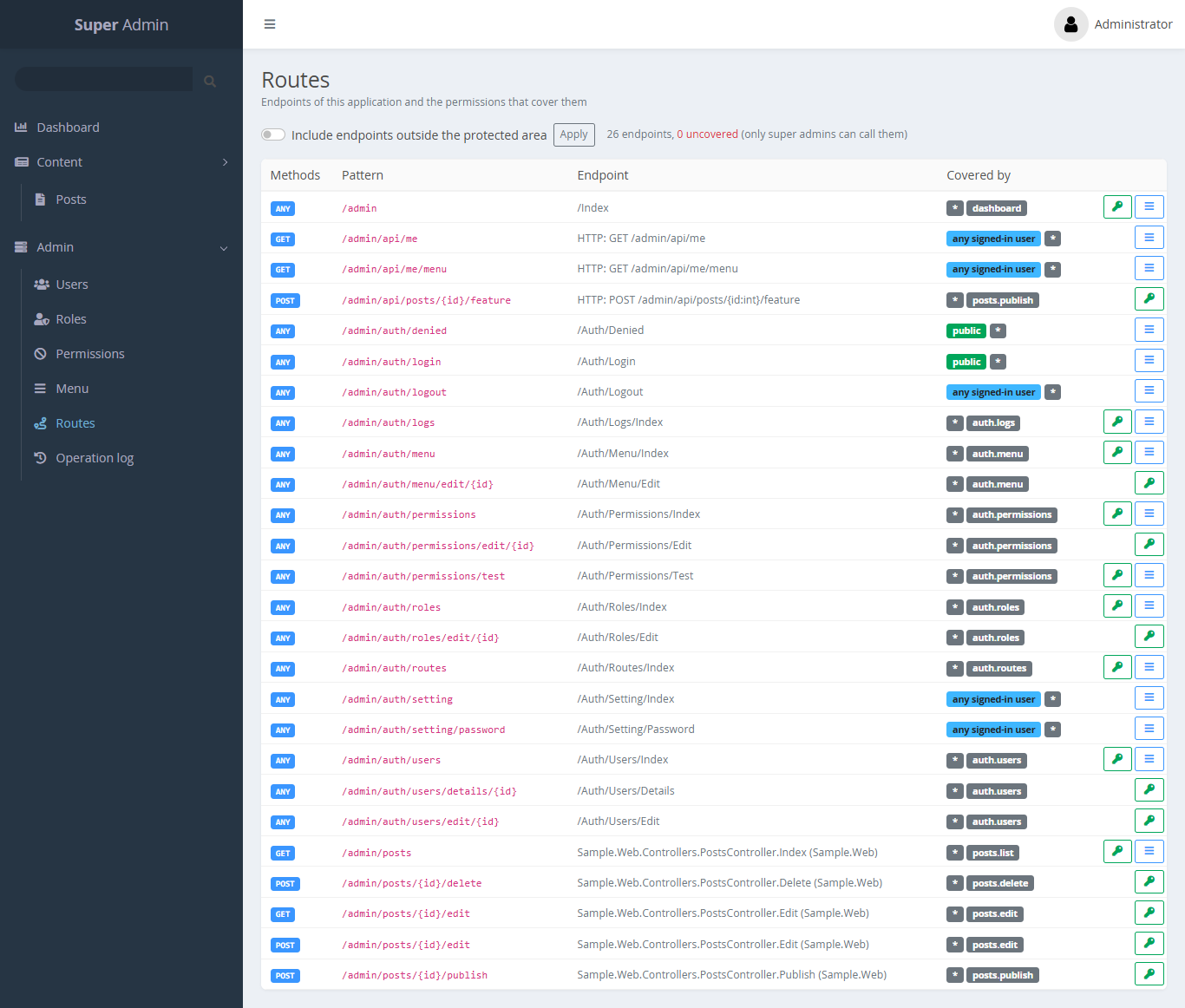
Routes lists every endpoint of your app with its methods and pattern, and which permissions cover it (Covered by). Endpoints that no permission covers are marked super admin only.
- The key icon creates a permission pre-filled with the endpoint's URL rule.
- The menu icon creates a menu item for the endpoint.
- Include endpoints outside the protected area also lists public endpoints, so you can check that nothing is public by mistake.
Operation log
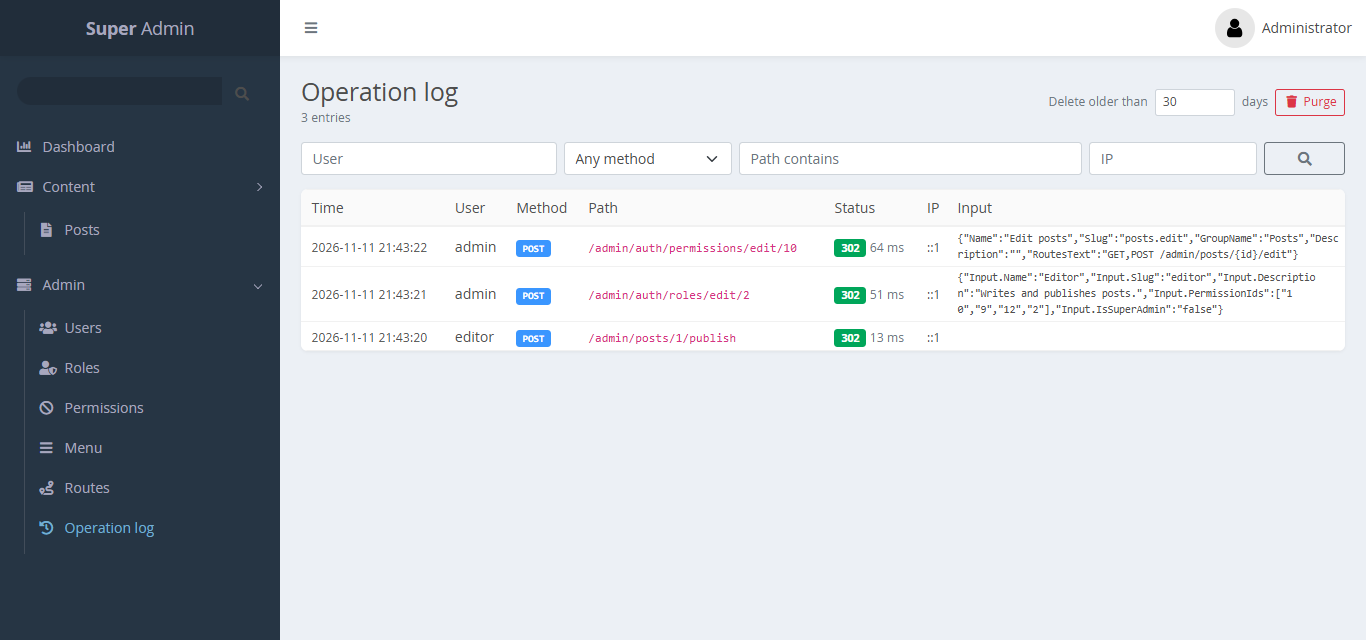
The log lists write requests (POST, PUT, PATCH, DELETE by default) with time, user, method, path, status, IP and input. Secrets in the input are masked. Purge deletes entries older than a date. Entries older than OperationLog:RetentionDays (default 90) are removed automatically.
Your settings
The user menu (top right) has Settings (name, email, avatar URL), Change password and Logout. Logout is a POST request with an antiforgery token.
Server-side safety rules
The panel enforces these rules on the server, not only by hiding buttons:
- You cannot delete or deactivate yourself.
- The last active super admin cannot be removed.
- Only super admins can change super-admin users or roles, or grant the super-admin flag.
- Non-super-admins can grant only permissions they hold themselves.
- Only super admins (or holders of
*) can create or change permissions and their URL rules. - System roles and permissions cannot be deleted.