How access works
The guard middleware (app.UseSuperAdmin()) checks every request in the protected scope. By default the scope is everything under /admin.
Request ──► in protected scope? ──no──► your endpoint (not touched)
                 │yes
                 ▼
        anonymous path / [AllowAnonymous]? ──yes──► endpoint
                 │no
                 ▼
        signed in (SuperAdmin cookie)? ──no──► 302 /admin/auth/login  (API: 401)
                 │yes
                 ▼
        user active + security stamp valid? ──no──► sign out, 302 login
                 │yes
                 ▼
        must change password? ──yes──► 302 /admin/auth/setting/password
                 │no
                 ▼
        [SkipUrlPermission]? ──yes──► endpoint
                 │no
                 ▼
        super admin, or a held permission has a rule matching METHOD + path?
                 ├─yes──► endpoint ([HasPermission] etc. are checked on top)
                 └─no───► 302 /admin/auth/denied  (API: 403)
Concepts
| Concept | Meaning |
|---|---|
| User | Admin panel account. Has roles and optional direct permissions |
| Role | Named group of permissions (editor). A role with Super administrator bypasses every check |
| Permission | A slug (posts.edit) with 0..n URL rules. A user's permissions are the direct permissions plus the permissions of all roles. * grants everything |
| URL rule | HTTP methods (empty = any) plus a path pattern. The URL guard allows a request if any rule of any held permission matches. See URL pattern syntax |
| Menu item | Title, icon, URL, parent. Visible only if the user may GET its URL (switchable per item), plus optional "require permission" and "restrict to roles". Groups without visible children are hidden |
Changes apply on the next request
Permissions are not stored in the cookie. They are cached per user, and the cache is cleared on every change made in the panel. A change therefore applies on the user's next request.
In a web farm, other instances notice a change within Cache:VersionCheckSeconds (default 5 seconds). See Configuration.
What a denied user sees
A signed-in user who opens a URL without a matching rule sees the denied page. Here the editor opens /admin/auth/users:
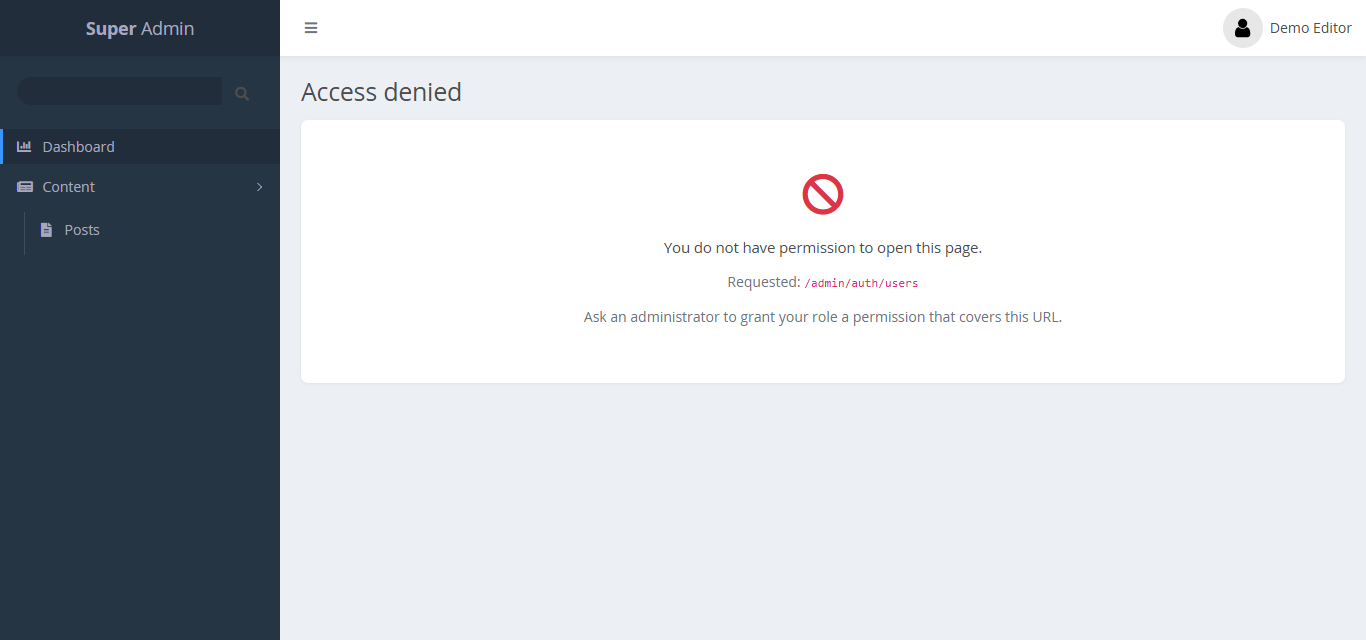
Paths that match Protection:ApiPaths (default /admin/api/*) get 401 or 403 status codes instead of redirects.
Check one user's access
Go to Users and click the user name. The access view lists the roles, every effective permission with its source, and the visible menu:
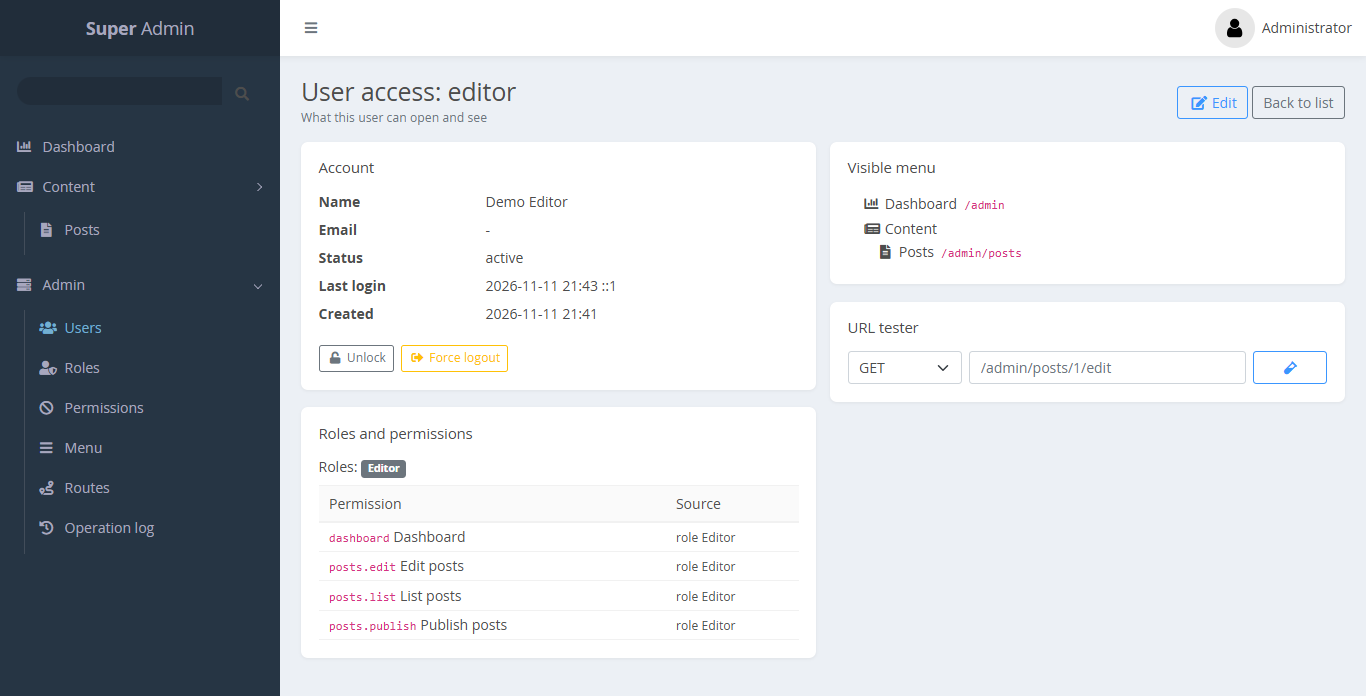
To test one URL against the rules, use Permissions → URL tester. See URL pattern syntax.