Protect your pages (no code)
Say you add a normal MVC controller:
[Route("admin/posts")]
public class PostsController : Controller
{
    [HttpGet("")]                 public IActionResult Index() => View();
    [HttpGet("{id:int}/edit")]    public IActionResult Edit(int id) => View();
    [HttpPost("{id:int}/edit")]   public IActionResult Edit(int id, PostForm form) => ...;
    [HttpPost("{id:int}/delete")] public IActionResult Delete(int id) => ...;
}
Because it lives under /admin, it is already protected. Only super admins can open it until you grant access. The steps below grant access from the panel, with no code change.
1. Create the permissions
Open Admin → Routes. Your endpoints are listed and marked super admin only. Click the key icon next to an endpoint to create a permission pre-filled with its URL rule. The Covered by column shows which permissions already grant each endpoint.
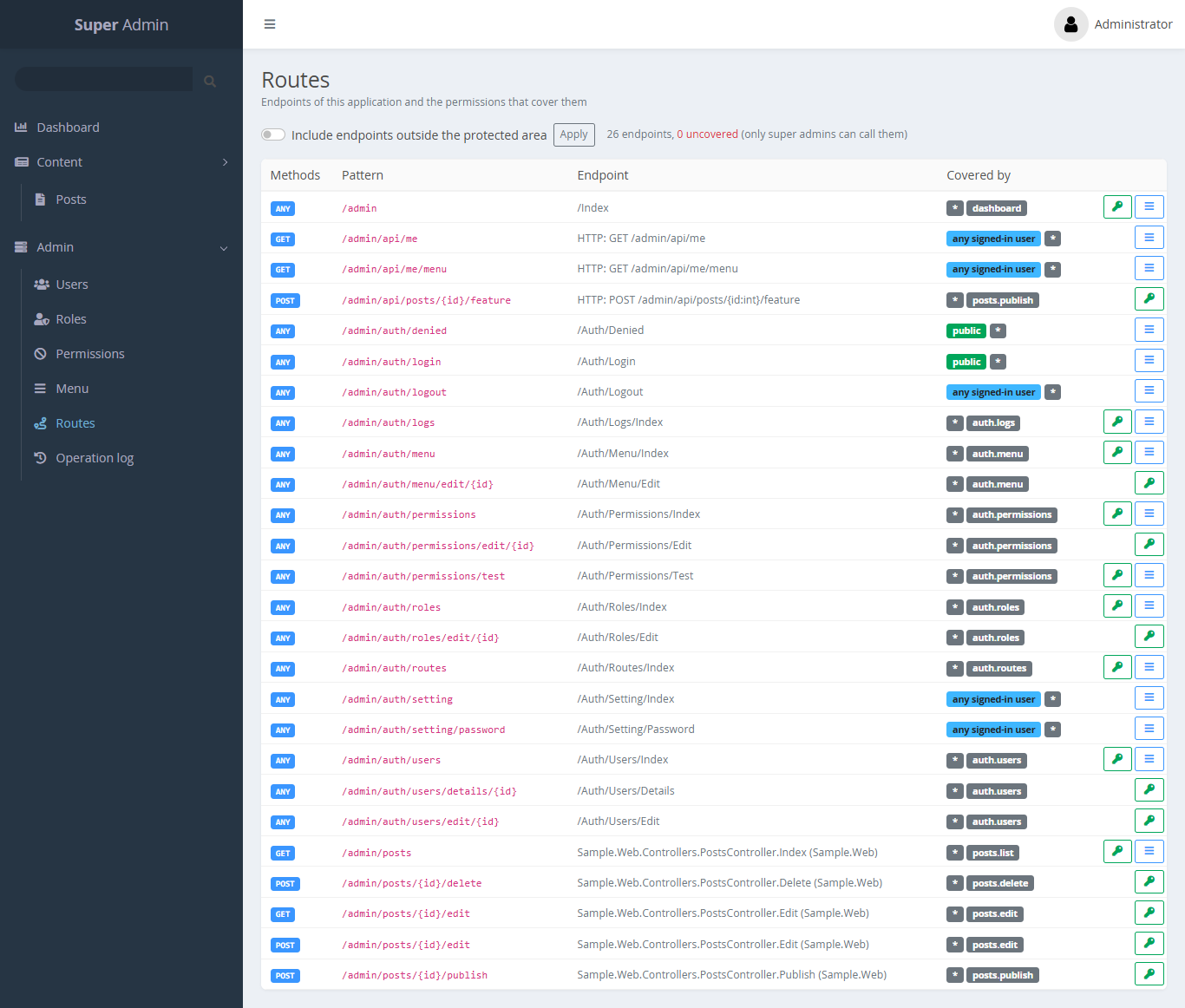
You can also go to Permissions → New and enter the rules yourself:
| Slug | Name | URL rules |
|---|---|---|
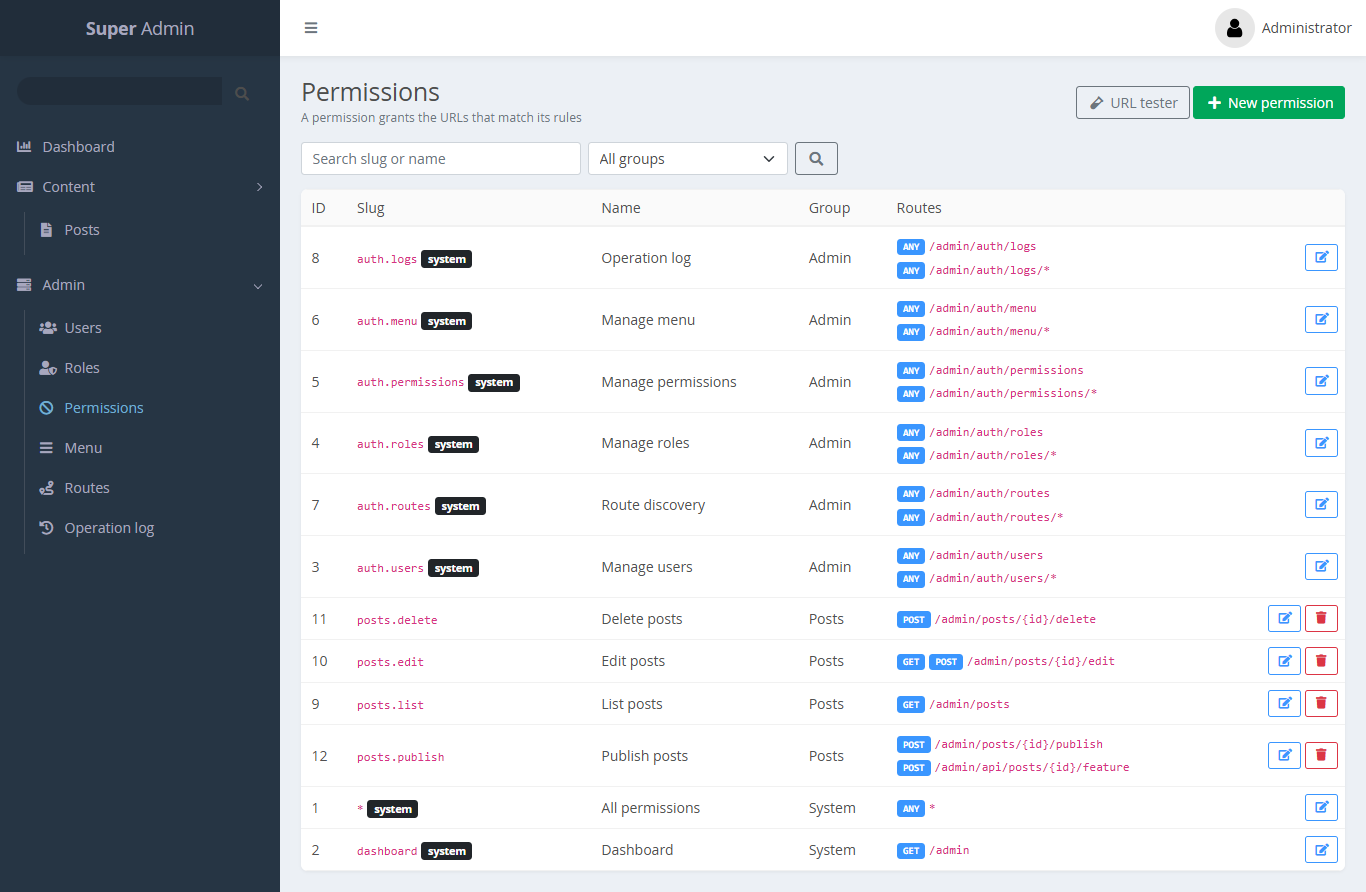
posts.list | List posts | GET /admin/posts |
posts.edit | Edit posts | GET,POST /admin/posts/{id}/edit |
posts.delete | Delete posts | POST /admin/posts/{id}/delete |
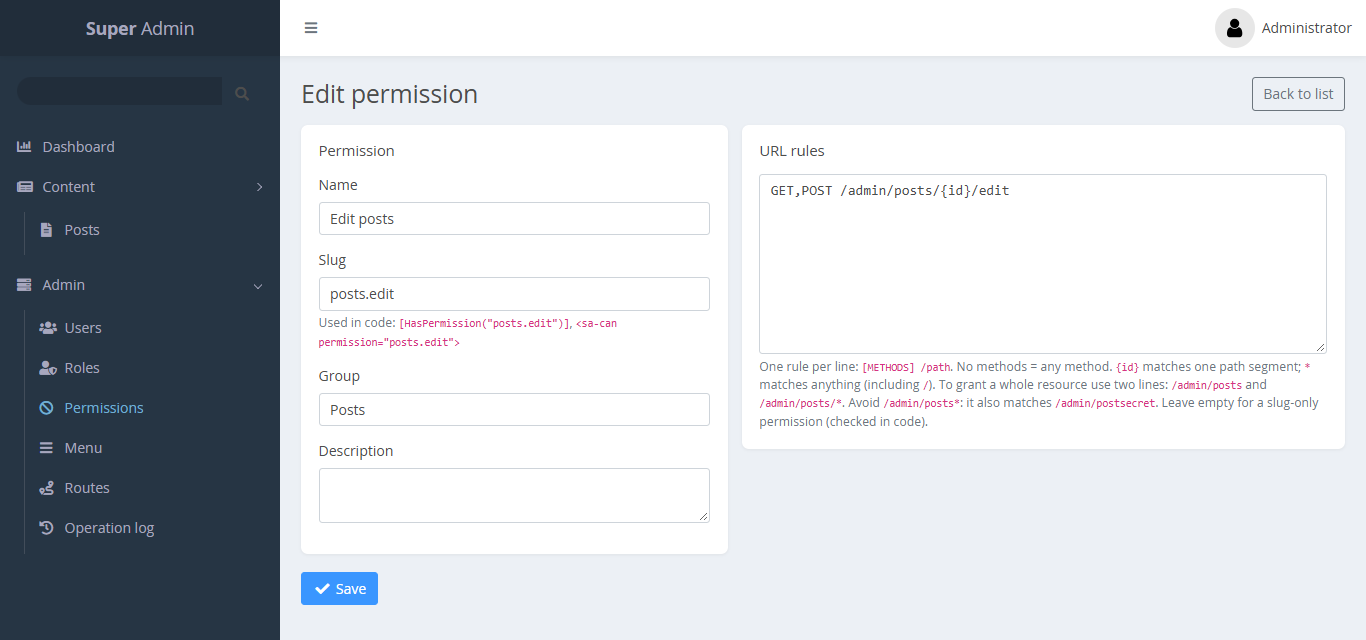
The Permissions list shows every slug with its URL rules:
2. Create a role
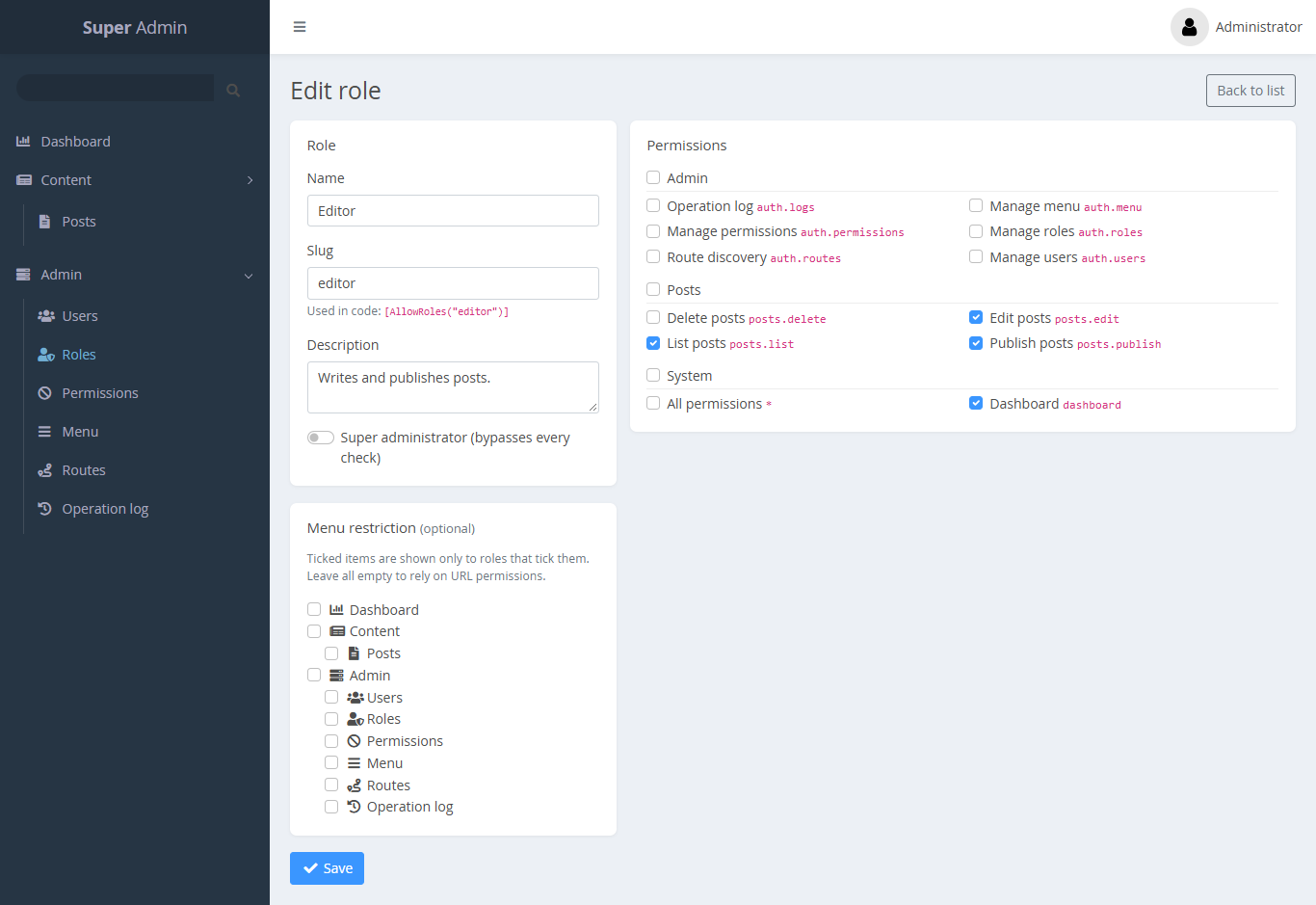
Go to Roles → New. Create Editor and tick posts.list and posts.edit.
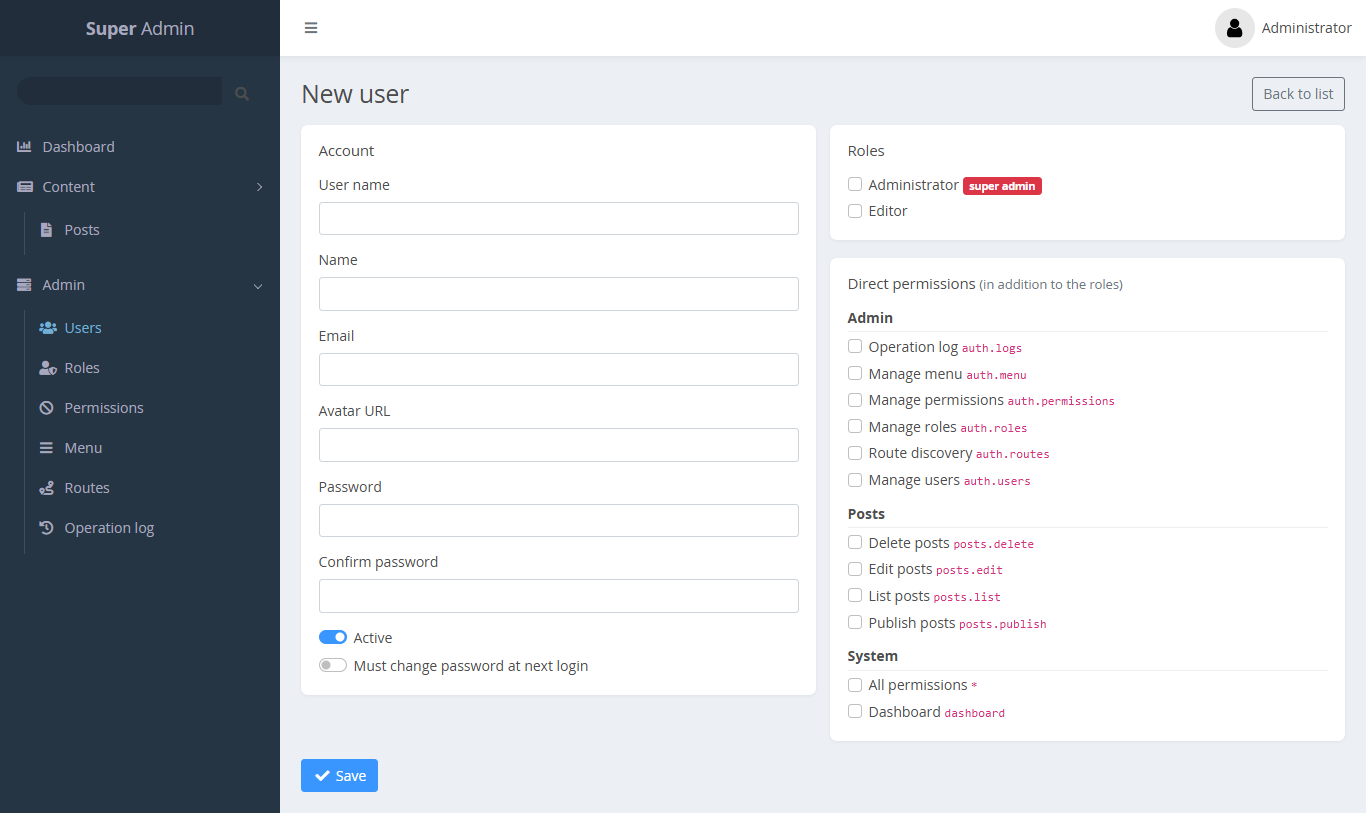
3. Create a user
Go to Users → New. Create a user with the Editor role.
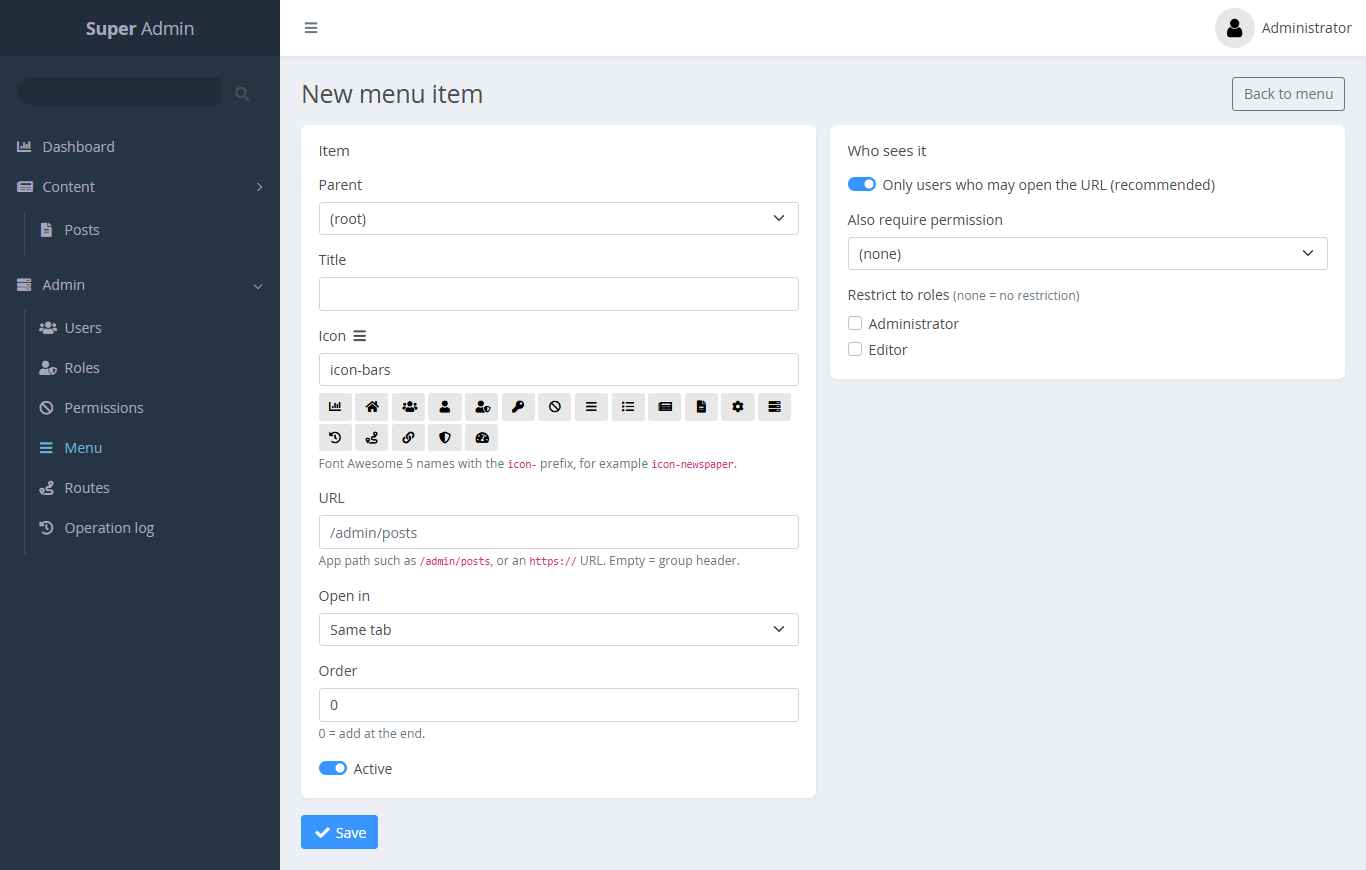
4. Add a menu item
Go to Menu → New item. Enter the title Posts, the URL /admin/posts and the icon icon-newspaper. You can also click the menu icon on the Routes page.
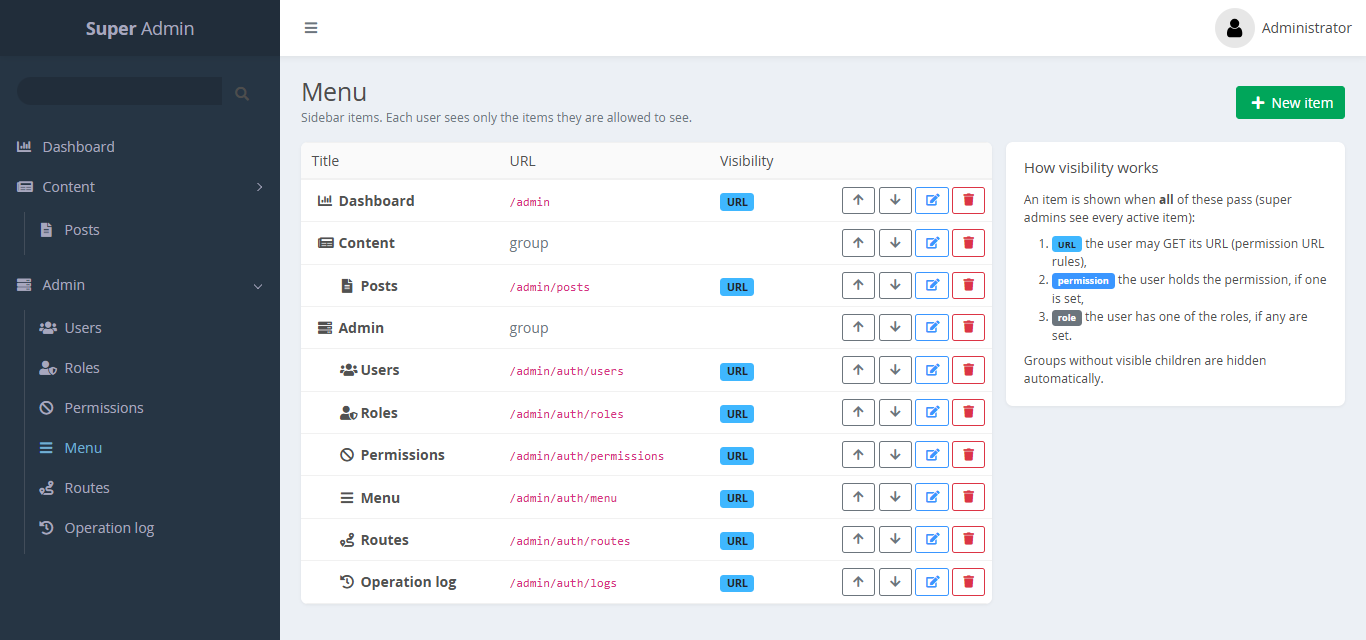
The Menu page shows the whole tree. Use the arrows to reorder items:
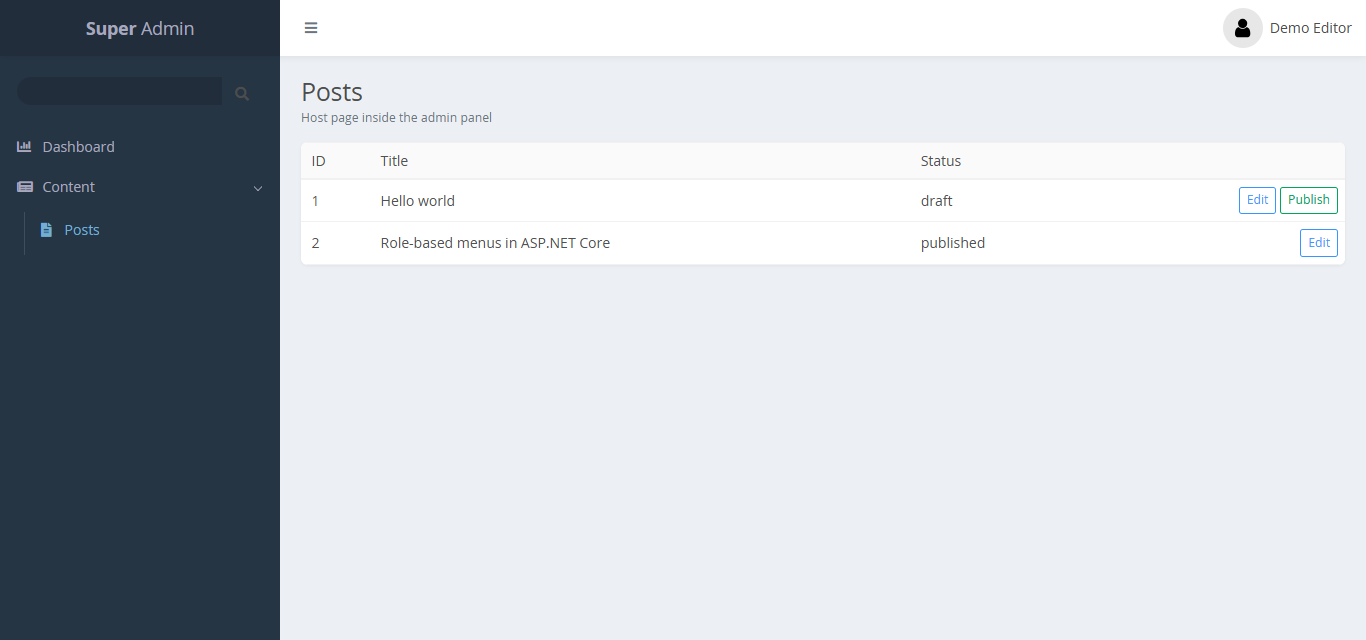
Result
The editor now sees Posts in the sidebar and can list and edit posts. A delete request returns 403. Other users do not see the menu item at all.
Render your page inside the admin shell
To show your page with the panel header and the role-aware sidebar, use the admin layout:
@* Views/_ViewStart.cshtml (or per view) *@
@{ Layout = SuperAdmin.Rbac.SuperAdminDefaults.Layout; }
@* Views/_ViewImports.cshtml *@
@addTagHelper *, SuperAdmin.Rbac
Set ViewData["Title"] and optionally ViewData["Description"] in your view. The CSS classes sa-card, sa-table-wrap and sa-table, Bootstrap 5.3 and Font Awesome (icon-* classes) are available.
Seed the same setup from code
To create these permissions, roles, users and menu items in a seeder or a deployment job instead, see Manage data from code.